Forensic / Obfuscated-1 - Imaginary CTF 2025
A writeup on the Forensic / Obfuscated-1 challenge from Imaginary CTF 2025
The Challenge
obfuscated-1 (100pts)
Description
I installed every old software known to man... The flag is the VNC password, wrapped in ictf{}.
Walkthrough
To be honest, I don't understand how so many people solved this one... because the technique isn't that easy 🤧
After unzipping the file, I saw that it was a folder containing a user's profile on Windows:
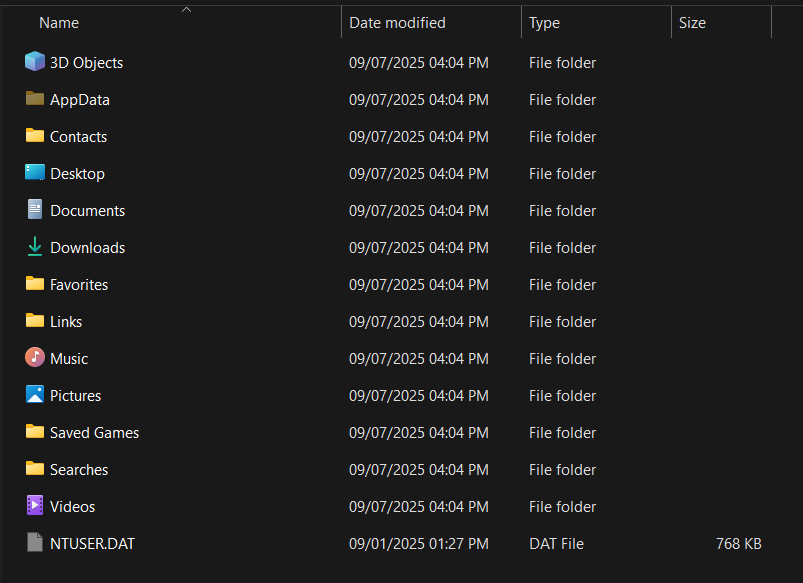
Here, the first thing I should do when investigating something is to dig into the registry files :D
The challenge provides the NTUSER.DAT file, so my task is just to press Win + R and type regedit:
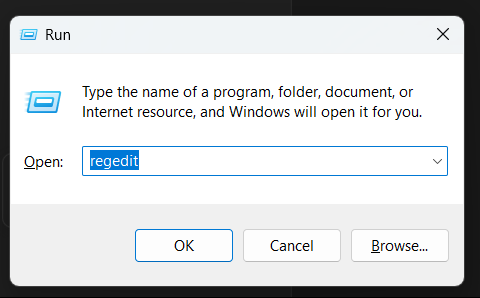
After opening the Registry Editor, if you're a newbie to this, I'll guide you through it :D
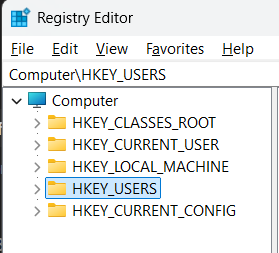
Click on HKEY_USERS:
Then, look up at File > Load Hive... :
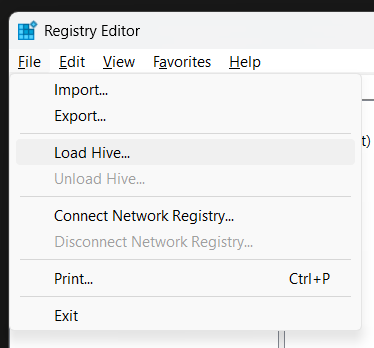
Make sure you select the NTUSER.DAT file provided by the challenge (if you select the one on your own machine, I can't help you 🐧), and give it a name. Here, I'll name it CTFHive to make it easy to find:

Click OK, and you'll see CTFHive inside the HKEY_USERS directory:
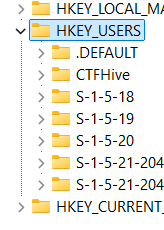
If you enjoy exploring, you can rummage through that folder as much as you like :D
Since the challenge mentions finding a VNC password, I'll look for anything related to that. After digging through the folder for a while, I found the relevant entry located in Software:
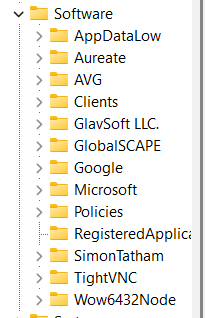
Clicking on the TightVNC entry will reveal a Server folder. After I click on Server, this is what appears:
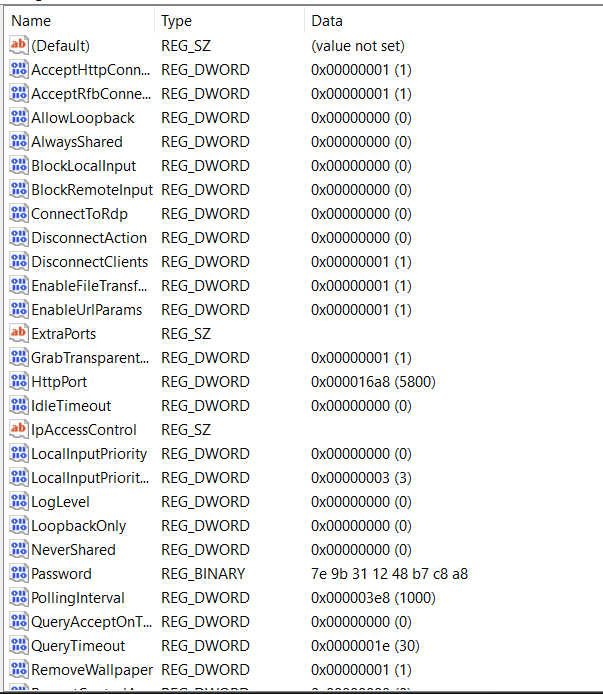
It's not hard to spot the Password registry key here:
7e 9b 31 12 48 b7 c8 a8
Now that I have this, it's time to decrypt it~
But how do I decrypt it? 🥲
I struggled with this for a bit until I asked Google about "VNC decrypt," which led me to this repository. Link below:
https://github.com/billchaison/VNCDecrypt
After reading this line from the repo:
Assume the string from the .vnc file is
d7a514d8c556aade
echo -n d7a514d8c556aade | xxd -r -p | openssl enc -des-cbc --nopad --nosalt -K e84ad660c4721ae0 -iv 0000000000000000 -d -provider legacy -provider default | hexdump -Cv
I had a new clue to solve it. Here, you can see that e84ad660c4721ae0 is a fixed key, which means I only needed that one piece of information to proceed. I asked ChatGPT to write the script for me (let's vibe-code, folks 🐧):
from Crypto.Cipher import DES
import binascii

# your REG_BINARY value from regedit
blob_hex = "7e9b311248b7c8a8"

# TightVNC's fixed DES key
key = binascii.unhexlify("e84ad660c4721ae0")
blob = binascii.unhexlify(blob_hex)

dec = DES.new(key, DES.MODE_ECB).decrypt(blob)

print("Decrypted bytes:", dec)
print("Password:", dec.decode('latin1', errors='replace').strip())
After running it, I got:
Decrypted bytes: b'Slay4U!!'
Password: Slay4U!!
The problem description says to wrap the password in the flag format, so the flag is:
ictf{Slay4U!!}
Final Words
This challenge involved a lot of techniques, so how did so many people solve it? :v
My rating for this challenge: technique/10
(The image is unrelated, but I'll leave it anyway :D)